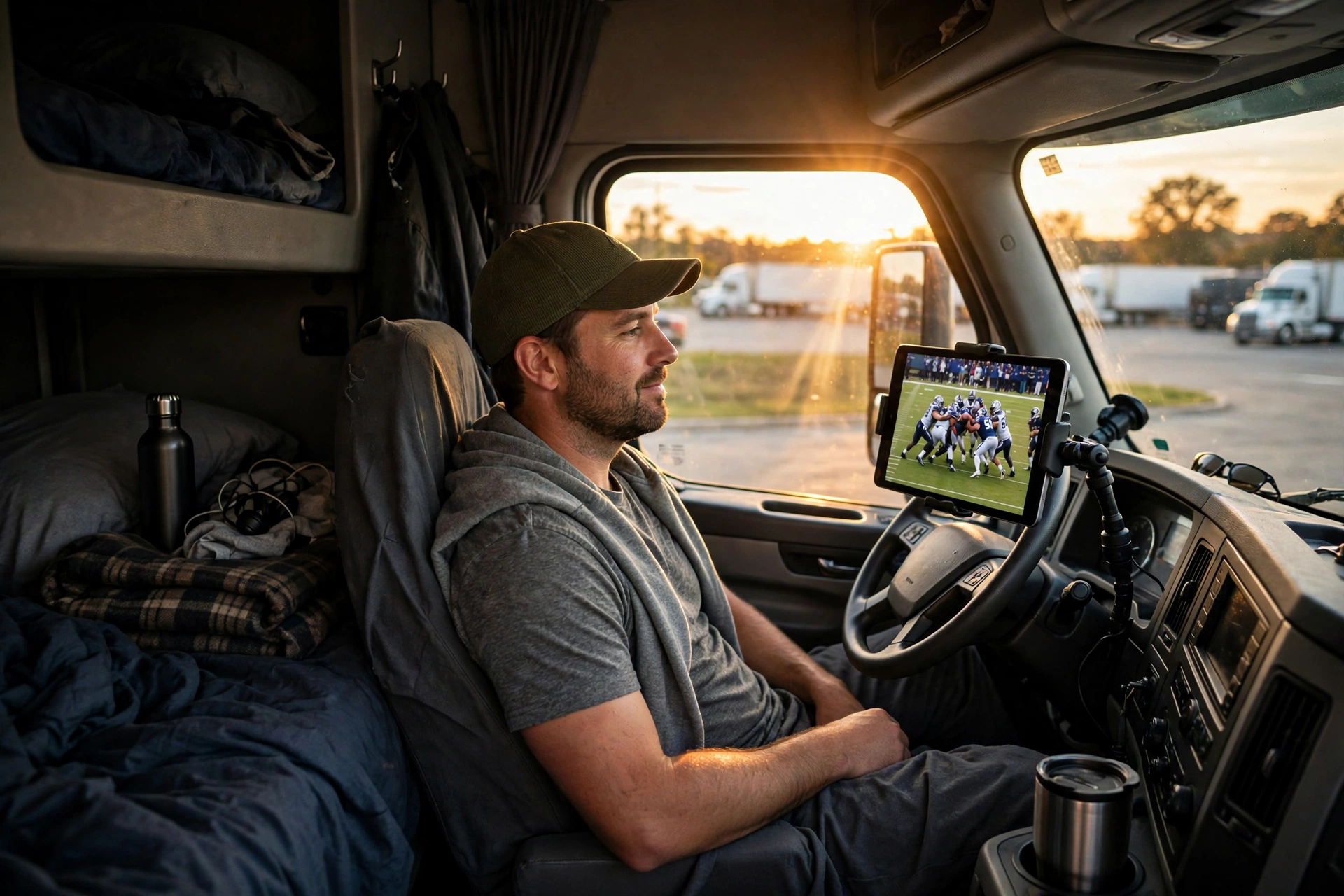
IPTV for RV and Truck Drivers: The Ultimate Mobile Streaming Guide 2026
Long-haul truckers and full-time RVers live in their vehicles — and after a ten-hour day, the TV is the living room. IPTV for RV and truck drivers turns a sleeper cab or an RV into a proper home cinema: every channel, every match, every movie, wherever you park for the night. The setup is simple, but the details matter — data limits, signal, and one safety rule that is not negotiable.
This guide covers the best internet options on the road, the setup for an RV and for a truck sleeper cab, how much data IPTV really uses, and the safety rules that keep the screen where it belongs: parked, engine off, feet up.
Is It Safe to Watch IPTV in a Truck or RV?
Yes — when the vehicle is parked. The rule is simple and absolute: video is for rest stops, truck stops and campgrounds, never for the road. Watching a screen while driving is illegal in every US state and Canadian province, and it is the fastest way to lose your licence, your job, or far worse.
Set the screen up so it cannot distract you while driving. In a truck, mount the tablet on the sleeper-cab side, out of the driver's line of sight, and switch it off before you roll. In an RV, the TV belongs in the living area, not the cab. Passengers can watch while you drive — that is perfectly fine — but the driver watches the road. Every setup in this guide assumes the vehicle is parked.
What Internet Works Best on the Road?
There are four ways to get internet in a truck or RV, and the right one depends on where you drive and how much you watch:
- Phone hotspot: the simplest option — share your phone's data with the Firestick or tablet. It works everywhere your phone has signal, but watch the data cap: an evening of HD TV can eat 6 to 9 GB.
- Dedicated hotspot or travel router: a small device with its own data plan, often with an external antenna for a stronger signal at truck stops and rural campgrounds. More reliable than a phone hotspot, and it keeps your phone free.
- Campground and truck-stop Wi-Fi: free, but shared with dozens of other vehicles and often too slow for HD in the evening. Fine for checking the news; poor for a live match.
- Starlink Roam: a portable satellite dish made for travellers, with coverage across North America wherever you have a clear view of the sky. The strongest option for rural routes and boondocking, and the only one that does not depend on cell towers. Starlink publishes the current Roam plans and hardware.
Whatever you choose, test the speed before the match starts. The FCC broadband speed guide lists 25 Mbps as enough for 4K and 10 Mbps for HD, and Ookla Speedtest measures your real speed in seconds.
How Do I Set Up IPTV in an RV?
An RV setup is close to a home setup, with a travel router in place of the home broadband:
- Plug a Firestick into the RV TV. Any HDMI port works. The Firestick is small, runs on 5V USB power, and carries your apps from one RV to the next.
- Connect the travel router or hotspot. Put the router near a window for the best signal, and connect the Firestick to its Wi-Fi network.
- Install your IPTV player. TiviMate or IPTV Smarters Pro are the best choices — our TiviMate setup guide and Smarters Pro setup guide cover both step by step.
- Add your playlist and set the quality to HD. On mobile data, HD is the sweet spot: sharp enough on an RV TV, and half the data of 4K. Save 4K for campground Wi-Fi.
How Do I Set Up IPTV in a Truck Sleeper Cab?
A sleeper cab is smaller, so the tablet is the screen. Mount it on a dashboard or bunk mount where you can see it from the bed, and power it from a 12V USB charger so it never dies mid-match. Download the shows you want before the trip where the app allows offline viewing, so a dead zone on the highway costs you nothing.
Keep one playlist on the tablet and the same playlist on your phone: if the tablet's connection drops, the phone's hotspot is the backup. A multi-device plan helps here — one subscription can cover the tablet, the phone and the RV TV at the same time, and our multiple devices guide explains how that works.
How Much Data Does IPTV Use on the Road?
Data is the real cost of mobile IPTV, so know the numbers before you stream:
- SD (480p): about 0.7 GB per hour — fine for a small tablet, and the cheapest way to stretch a capped plan.
- HD (1080p): about 1.5 to 3 GB per hour — the right choice for most evenings on the road.
- 4K: about 7 GB per hour — save it for unlimited plans and strong Wi-Fi.
Three habits keep the bill down: set the player to HD instead of Auto, download shows on campground Wi-Fi before you drive, and use an unlimited data plan if you watch every night. A driver who watches two hours of HD a night uses roughly 90 to 180 GB a month — a number worth checking against your plan before the first bill arrives.
One plan for the road and home? See the 4K Media TV plans — plans cover up to 4 devices, so the same subscription runs on the truck tablet, the RV TV and the TV at home, and a free 24-hour trial lets you test the streams on your own route first.
About 4K Media TV: 4K Media TV is a Premium IPTV service with 57,000+ live channels and 185,000+ movies and series in HD, FHD and 4K. Plans are one-time payments: 1 month from $19.99, 3 months from $39.99, 6 months from $59.99 and 12 months from $99.99 for one device, with up to 4 devices. Every plan includes a free 24-hour trial, activation within 10 minutes to 8 hours, and ordering on WhatsApp.
Stay Safe While Streaming

Truck-stop Wi-Fi and campground networks are shared with strangers, and your viewing data travels over them in the open. A reliable VPN keeps your stream private on any public network, scam protection flags the fake login pages that target drivers on the road, and antivirus protection guards the phone or tablet you watch on when one bad download is all it takes. Some of the links in this section are affiliate links — we may earn a commission at no extra cost to you.
Frequently Asked Questions
Can truck drivers watch IPTV while driving?
No. Watching video while driving is illegal in every US state and Canadian province. IPTV in a truck is for rest stops, truck stops and sleeper-cab downtime only, with the vehicle parked and the engine off.
How much data does IPTV use per hour?
About 0.7 GB per hour in SD, 1.5 to 3 GB per hour in HD, and about 7 GB per hour in 4K. Two hours of HD a night uses roughly 90 to 180 GB a month, so an unlimited data plan is the safest choice on the road.
Does IPTV work with Starlink in an RV?
Yes. Starlink Roam is made for travellers and works in an RV wherever you have a clear view of the sky. It is the strongest option for rural routes and campgrounds with no cell signal, and it handles HD and 4K streaming well.
What is the best IPTV setup for an RV?
A Firestick plugged into the RV TV, a travel router or hotspot for internet, and a player such as TiviMate or IPTV Smarters Pro. Set the quality to HD on mobile data, and use campground Wi-Fi for downloads and 4K.
Related Guides
- How to Watch IPTV on Android: Phone, Tablet & Android TV Setup (2026)
- IPTV on Multiple Devices: Watch on Every Screen with 4K Media IPTV (2026)
- Internet Speed for IPTV: How Much Do You Need in 2026?
- Watch Live Sports in 4K with 4KMedia TV: NFL, NBA, Soccer & PPV (2026)
- How to Install IPTV on Firestick: Step-by-Step Setup Guide
More from 4K Media TV: our sister guides live at stream4kmedia.com and originetv.space, the same Premium IPTV service, with setup help for every device.
Try it free for 24 hours: message us on WhatsApp at +212 638 196 267 and we will set up your free trial. You can also follow our WhatsApp Channel for offers and updates.
Try 4K Media free for 24 hours
Full Premium access — every channel, every match, all VOD — free for a full day.
See Premium Plans Get 24H Trial